You can do better at venipuncture by using a projection vein finder. This tool shows a live map of veins on the skin. It helps you pick the best place to put the needle.
-
Automated devices work 87% of the time.
-
For people with easy veins, success goes up to 97%. Manual methods work about 90% of the time.
-
For hard veins, old ways only work 60% of the time.
|
Metric |
Traditional Methods |
Projection Vein Finder |
|---|---|---|
|
First-attempt success rate |
46.8% |
87.1% |
|
Patient discomfort |
Higher |
Lower |
|
Procedure time |
Longer |
Shorter |
You help patients feel safe and calm. You also make your job simpler.
Key Takeaways
-
A projection vein finder helps nurses find veins faster. It lets them get it right the first time 87% of the time. This makes venipuncture easier and hurts less for patients.
-
You must set up the device the right way. The patient also needs to be in the right spot. This helps you see the veins clearly. It also helps the procedure go well.
-
Using a projection vein finder saves time. It makes patients feel less pain. This makes things better for both nurses and patients.
-
Practice and training with the device help you get better. You will do a better job and feel more sure of yourself during venipuncture.
-
Always take care of the patient after the procedure. This helps them heal and lets you watch for any problems.
What Is a Projection Vein Finder?
Device Function and Technology
A projection vein finder lets you see veins under your skin with special light. It uses near-infrared light that shines on your skin. The blood in your veins absorbs this light. This makes the veins look like dark lines. It is easier to find where to put the needle. Some devices, like AccuVein, use strong near-infrared LEDs. They also have a digital projector. This shows a live picture of your veins right on your skin.
-
A projection vein finder uses infrared light to show veins on your skin.
-
Other devices, called transilluminators, shine light through your skin. These do not project images.
-
Herbert Zeman invented the first device like this in 1995.
-
Most devices use near-infrared light. Hemoglobin in your blood absorbs this light, so veins are easy to see.
There are different kinds of projection vein finders. Some are small and you can hold them in your hand. Others are bigger and stay in hospitals. This technology helps you see veins clearly, even if they are hard to find.
Benefits for Venipuncture
A projection vein finder gives you many good things during venipuncture. You can see veins as you work. This helps you pick the best spot for the needle. You will have fewer misses and your patients will feel less pain.
|
Outcome |
Vein-Viewing Device |
Traditional Techniques |
Statistical Significance |
|---|---|---|---|
|
Number of Cannulation Attempts |
Reduced |
Higher |
Significant |
|
Time Taken for Cannulation |
Reduced |
Longer |
Significant |
|
Pain Score |
Minimal Effect |
Comparable |
Not Significant |
|
Fear Score |
Lower |
Comparable |
Not Significant |
Nurses like to use these devices for kids. It makes the process faster and more comfortable. Patients feel less scared and have less pain. The device also helps you finish your work faster. You do not need as much time for each procedure.
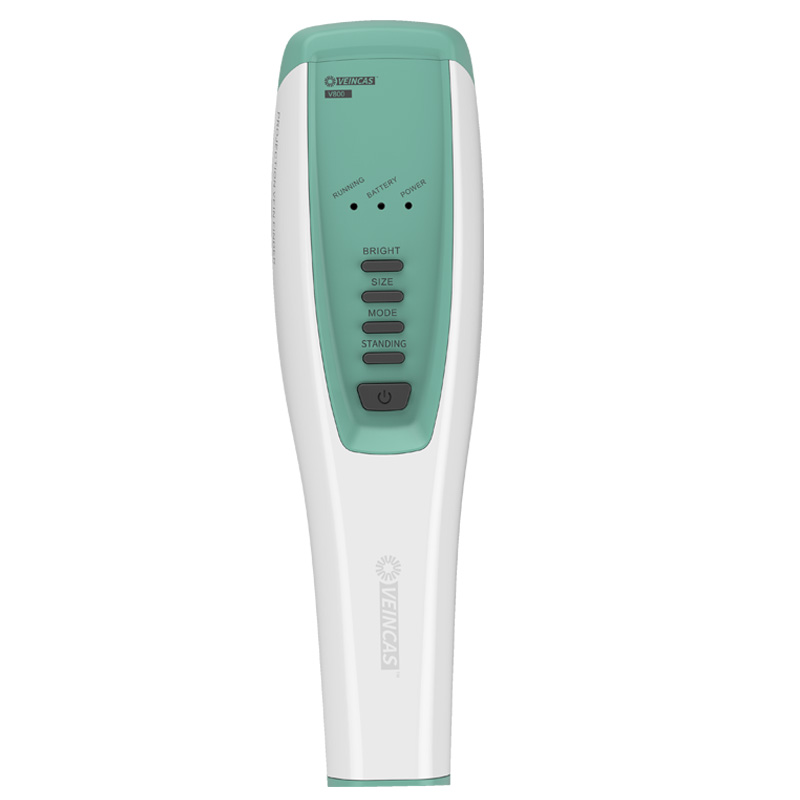
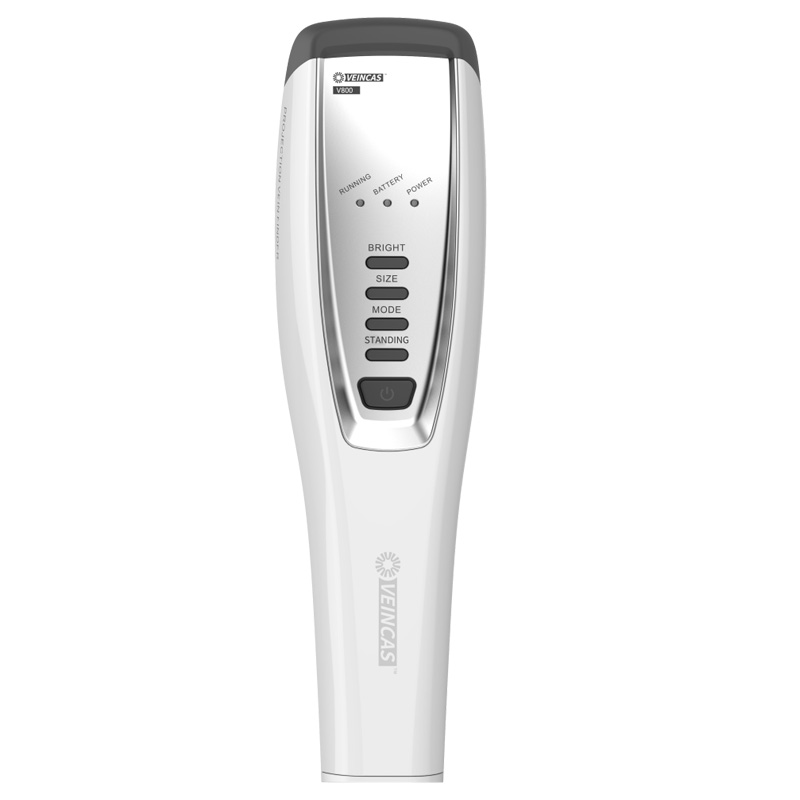
Tip: Using a V800P infrared projection vein finder device can help you get the needle in the vein on the first try. It also helps your patients feel calm.
Projection Vein Finder Setup
Preparing Supplies
Before you start, gather all the supplies you need. You should have your projection vein finder, disinfectant wipes, a tourniquet, gloves, and an alcohol swab. Make sure your device has enough battery power. If your device uses rechargeable batteries, check the charge level. Clean the device with a disinfectant wipe to keep it free from germs. Place all your supplies within easy reach. Ask your patient to remove any bulky clothing or jewelry from the area you will scan. Good preparation helps you work faster and keeps your patient comfortable.
Tip: Always support the patient’s arm with a pillow. This keeps the arm steady and makes veins easier to find.
Device Positioning and Focusing
You want to see the veins as clearly as possible. Follow these steps to set up your device:
-
Press and hold the power button for three seconds to turn on the device.
-
Hold the device 6 to 10 inches above the patient’s skin. This distance gives you the best view of the veins.
-
Adjust the room lighting if needed. Dim lights can help the veins show up better.
-
Use the mode button to switch between display settings. Choose the one that makes the veins stand out.
-
Apply a tourniquet above the site to make the veins more visible.
-
Calibrate the device if your model requires it. Some devices, like HelloVein Lite 2.0 and AimVein, come factory calibrated and need only basic cleaning.
-
Move the device slowly until you see a clear image of the vein on the skin.
|
Feature |
HelloVein Lite 2.0 |
AimVein |
|---|---|---|
|
Calibration |
No calibration required |
Factory calibrated |
|
Maintenance |
Basic cleaning only |
Gentle cleaning recommended |
|
Ready to Use |
Yes |
Yes |
|
Battery |
Rechargeable |
Rechargeable |
Check the image for sharpness. If the veins look blurry, adjust the height or angle of the device. Mark the best vein for insertion. Clean the area with an alcohol swab before you start the procedure.
Note: Wipe the device with a soft cloth or medical-grade disinfectant after each use to keep it clean and ready for the next patient.
Patient Positioning
Best Way to Place the Patient
You need to put your patient in the right spot. This helps you see their veins better. It also makes using the projection vein finder easier. The whole process will go smoother for you and your patient. Here are some tips for different places you might need to access:
-
Put the patient in a comfy chair or on a table. Make sure their arm or leg is resting and not tense.
-
If you need arm veins, ask the patient to stretch their arm out flat. Use a pillow or towel to keep the arm from moving.
-
For internal jugular or subclavian veins, use the Trendelenburg position. Lower the bed so the head is below the heart. This fills the veins and lowers the chance of air bubbles.
-
For femoral veins, have the patient lie flat on their back. This makes it easier to find and reach the femoral vein.
-
Take off any tight clothes or jewelry from the area you will scan.
Tip: Always make sure the patient feels okay and calm before you start. When the patient is relaxed, it is easier to find veins.
Fixing Position Problems
Sometimes, it is hard to get the patient in the right spot or find a vein. Use this table to help with common problems:
|
Issue |
Solution |
|---|---|
|
Inability to locate hidden veins |
Move slowly and feel for the vein. Try a smaller needle or butterfly needle. Ask the patient where their best veins are. |
|
Anxiety Management |
Tell the patient what you are doing. Help them feel safe. Ask them to take deep breaths. Stay calm yourself. |
|
Minimizing Pain and Discomfort |
Use the right angle for the needle. Warm the skin to make veins bigger. Distract the patient if needed. |
|
Management of Blood Flow Issues |
Move the needle gently. If a vein collapses, let go of the tourniquet. Ask the patient to drink water. |
|
Positioning the Patient’s Arm |
Rest the arm flat and keep it straight. |
Note: If you cannot find a good vein, try moving the arm or leg a little. You can also ask the patient to squeeze their hand into a fist. A small change can help you see the vein better.
Using the Projection Vein Finder
Locating Veins
You can find veins quickly and safely with a vivolight projection vein finder V800. Follow these steps to get the best results:
-
Confirm the patient’s identity and ask if they have had any problems with needles before.
-
Place a tourniquet above the spot where you plan to insert the needle. Ask the patient to make a fist to help the veins stand out.
-
Clean the area with an alcohol swab to lower the risk of infection.
-
Turn on the projection vein finder and move it over the skin. Watch for the dark lines that show the veins.
-
Adjust the device settings if you need a clearer view.
-
When you find a good vein, turn off the device before you insert the needle.
-
After you finish, release the tourniquet and press on the site to stop any bleeding.
Tip: You can usually find a vein in about 3.4 minutes with a projection vein finder. This is much faster than the 6.06 minutes it takes with traditional methods.
Adjusting Device Angle and Height
You need to set the device at the right angle and height to see the veins clearly. Many devices let you change the position in several ways. Use the table below to learn what each part does:
|
Component |
Function |
|---|---|
|
Support Structure |
Lets you move the device in six directions |
|
Cameras (C1, C2) |
Help you rotate the device |
|
NIR Rings of LEDs |
Allow you to move the device up, down, or sideways |
|
Color Micro Projector |
Lets you change the height and rotation |
|
Hand Rail |
Gives you control while you adjust the device |
If the veins look blurry, try moving the device closer or farther away. You can also tilt it a little to get a sharper image. Practice helps you get better at finding the right angle.
Note: Some people make mistakes when using the device. You might not get enough practice or may not know how to read the images. Clinics can help by offering workshops or online lessons. Training helps you use the device well and care for your patients.
Venipuncture Steps
Selecting the Vein
You want to choose the best vein for venipuncture. The right choice helps you avoid problems and makes the process smoother for your patient. The projection vein finder gives you a clear image of the veins under the skin. You can see which vein is large, straight, and easy to reach. The device uses near-infrared light, so you can spot veins even if they are hard to see with your eyes.
Here is a table to help you pick the best vein:
|
Vein Type |
Characteristics |
|---|---|
|
Median Cubital Vein |
Best choice, well anchored, large and prominent, serves as a branching point. |
|
Cephalic Vein |
Located on the outer thumb side, second choice for venipuncture. |
|
Basilic Vein |
Found on the inner little finger side, considered last choice for venipuncture. |
You should look for veins that are straight and do not roll when you touch them. Try to avoid veins that are close to arteries or nerves. The device lets you adjust brightness and color, so you can see veins on different skin tones. You can find the best vein quickly and with more accuracy.
Tip: Ask your patient if they have a preferred spot for blood draws. Some people know which veins work best for them.
Performing Venipuncture
You can start the procedure once you have chosen the vein. Follow these steps for a safe and smooth venipuncture:
-
Put on gloves and clean the area with an alcohol swab.
-
Place a tourniquet above the site to make the vein stand out.
-
Use the projection vein finder to check the vein one more time.
-
Hold the skin tight below the vein to keep it from moving.
-
Insert the needle at a 15 to 30-degree angle with the bevel facing up.
-
Watch for blood to appear in the needle hub. This means you are in the vein.
-
Remove the tourniquet before you take out the needle.
-
Pull the needle out gently and press on the site with a clean gauze pad.
You can finish the procedure faster because you see the vein in real time. The device helps you avoid extra needle sticks. Patients feel less pain and have a better experience. You also lower the risk of problems like hematoma or infiltration. The table below shows how technology can help you:
|
Evidence Type |
Description |
|---|---|
|
Complication Reduction |
VeinViewer technology can help avoid complications such as hematoma and infiltration during venipuncture. |
|
Visualization Benefits |
Enhances visualization of veins, leading to increased first-stick success rates. |
|
Patient Experience |
Improves patient comfort and satisfaction by reducing pain and potential tissue damage. |
Note: Always check for signs of swelling or pain during the procedure. If you see these signs, stop and try a different vein.
Post-Procedure Care
You need to care for the site after venipuncture to keep your patient safe. Press on the site for at least 30 seconds to stop bleeding. Cover the area with a clean bandage. Tell your patient to keep the bandage on for at least 15 minutes.
Check the site for redness, swelling, or bruising. Ask your patient if they feel pain or numbness. If you see any problems, let a nurse or doctor know right away.
Here are some quick tips for post-procedure care:
-
Remind your patient to avoid heavy lifting with the arm for a few hours.
-
Tell them to watch for signs of infection, like redness or warmth.
-
Advise them to drink water to help their body recover.
Tip: Good post-procedure care helps your patient heal faster and lowers the chance of problems.
You can use these steps to make venipuncture safe and comfortable. Practice helps you get better and more confident each time.
You can make venipuncture safer and easier by using a projection vein finder for each step. When you practice, you get better at using the device. This helps you feel sure of yourself. Research shows you are more likely to get the vein on the first try. Patients also feel less pain.
|
Metric |
Vein Finder Group |
Traditional Group |
|---|---|---|
|
Pain Scores (mean NIPS) |
5.75 |
6.83 |
|
Crying Duration (minutes) |
2.94 |
5.61 |
|
First-Attempt Success Rate |
87.1% |
46.8% |
-
You can see veins better and finish the job faster.
-
Training classes and online videos help you learn how to use the device.
-
Experts say these devices should be used for better results.
Keep practicing and learning so you can give your patients the best care.
FAQ
How do you clean a projection vein finder?
You clean the device with a medical-grade disinfectant wipe. Make sure you wipe all surfaces. Avoid using water or harsh chemicals. Always clean the device before and after each use.
Can you use a projection vein finder on all skin tones?
Yes, you can use the device on any skin tone. Near-infrared light works well for dark and light skin. Adjust the brightness or color settings if needed.
What should you do if the veins are hard to see?
Try moving the device closer or farther from the skin. Ask the patient to squeeze their fist. Use a tourniquet to make veins stand out. Dim the room lights for better contrast.
Is the projection vein finder safe for children?
You can safely use the device for children. Nurses often use it for pediatric patients. The device does not touch the skin or cause pain.
Do you need special training to use a projection vein finder?
You do not need special training, but practice helps. Many clinics offer workshops or online lessons. You get better results when you know how to adjust the device and read the images.